I change the inclination and rotation of the original photo to improve it, and then I crop it.
One requirement was to remove something, so I remove the boy who was sitting in the stairs and then I fix the background repiting the patron of the stairs.
"I like online games and spend all my spare time playing on the computer and phone. I even prefer playing over going out with family or friends. My parents are all time telling me to organize better my time but I think it is my hobby and does no harm on me…. What do you think and why…."
GAMES ADDICTION
It's good to play games and entretain yourself but you have to know when to stop. It's not healthy play games all day, you can produce an addiction that is going to make you play without a break. You have to go out with your friends and family or make a sport, you have to socialise and don't be in front of a screen many hours. You can't let go your responsabilities.
Play games is something good but you have to organise your time and dedicate time for your family and friends
Video game addiction is defined as the steady and repetitive use of the Internet to play games frequently with different gamers, potentially leading to negative consequences in many aspects of life
"I use always the same password for all my accounts and applications. I do not like to use complicated passwords because it is difficult to remember and too long. What do you think?.... "
MAKE A WEAK PASSWORD
This happen when you don't are concious of that a person can know all your private information knowing your password.
You have to do different and complicated passwords for all your accounts and applications, trying long passwords with numbers and symbols.
If you make a weak password a person can steal all of your information and information of your family or friends too.
A weak password is short, common, a system default, or something that could be rapidly guessed by executing a brute force attack using a subset of all possible passwords, such as words in the dictionary, proper names, words based on the user name or common variations on these themes, and astrong password is:At least 12 characters long but 14 or more is better. A combination of uppercase letters, lowercase letters, numbers, and symbols.
When you build a PC, you don't automatically have Windows included. You'll have to buy a license from Microsoft or another vendor and make a USB key to install it.
Of course, you will need to install the OS onto your Computer, and there are several ways to do this. You can use a Win OS Install DVD if you have one and your PC has a DVD Drive.
Nowadays, though, as optical drives are becoming a thing of the past, the Operating System is usually either downloaded directly from the Internet (for you to create your own boot medium on DVD or thumb drive), or you can buy it on a USB Stick (Thumb-Drive).
The Computer case is nothing more than a fancy-looking box that holds all of the PC’s components. It can be opened and closed and has pre-defined areas with screws and holes where all of the components are supposed to be placed and attached to.
PC Cases come in different colors, and sizes, with or without fans; some have RGB lights, some don’t and some have glass side panels
PC won’t work without a power supply to supply the PC with power.
Your power supply unit is a little box that keeps the electricity running to every component. It determines how quick and powerful your PC can be. The faster it is, the more power it needs, and you always want to have a little more than you need, just in case. Just like GPUs, PSUs are also in and out of stock right now.
This is where you store all your files, your games, your movies, your documents, your photos, your everything. You can always add more storage later.
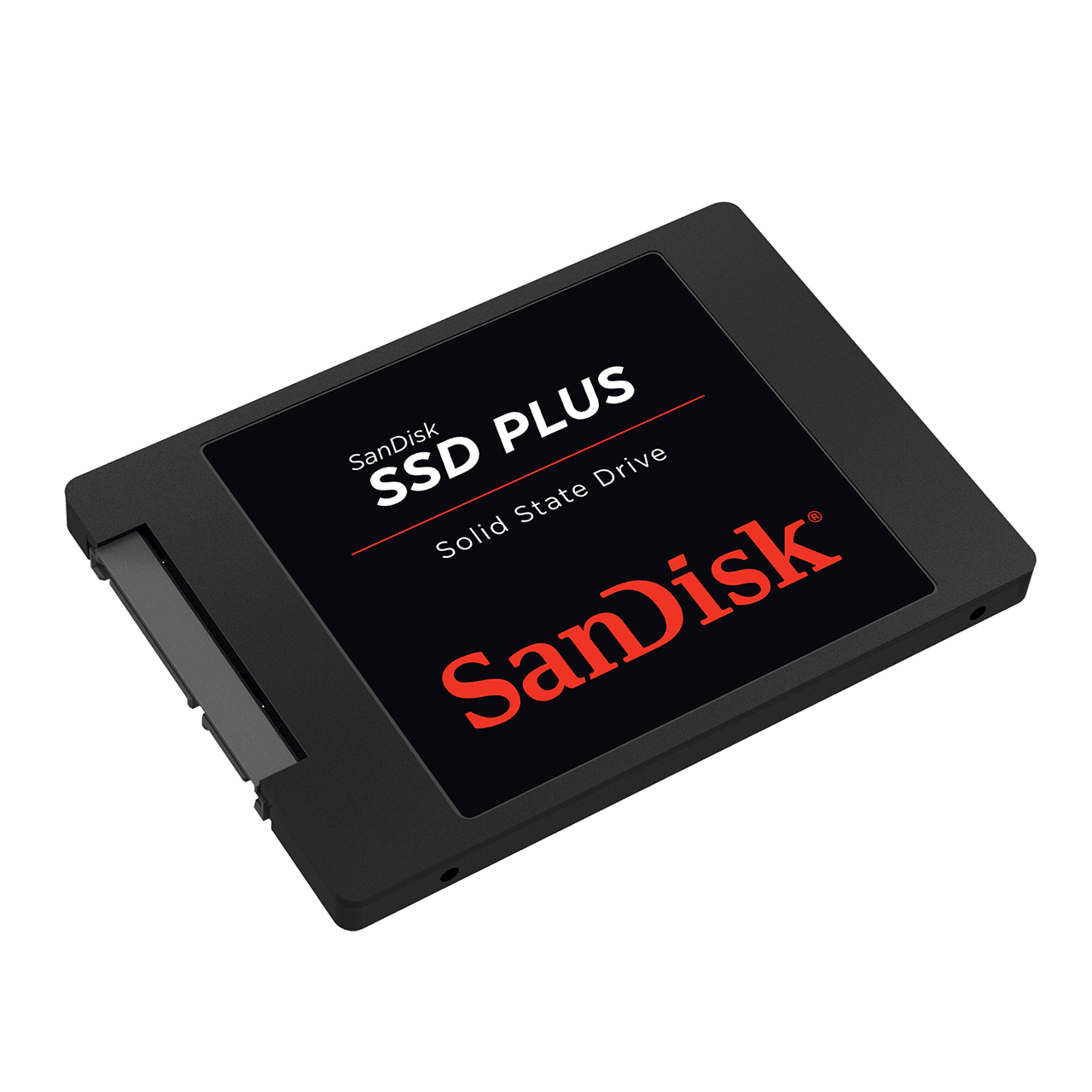
Your files and data are saved on a storage drive — either a hard disk drive (HDD) or a solid state drive (SSD). Although HDDs have traditionally given you more storage for a higher value, SSDs have essentially made them outdated.
There are 3 typical mass-storage types:
The HDD (Hard Disc Drive)
the SSD (Solid State Drive)
and the NVMe SSD (Non-Volatile Memory Express Solid State Drive)
All three do pretty much the same, they store data for you. The main difference between the three is speed.
Even though storage devices do not impact your computer’s boot-up process, start-up programs like Google Chrome or Microsoft Word are loaded directly from your HDD or SDD. So a damaged storage device can interrupt the whole process, potentially corrupting your files. If so, you will need to replace your hard drive immediately, sometimes requiring a complete system reformat or Windows reinstall, which is a hassle.
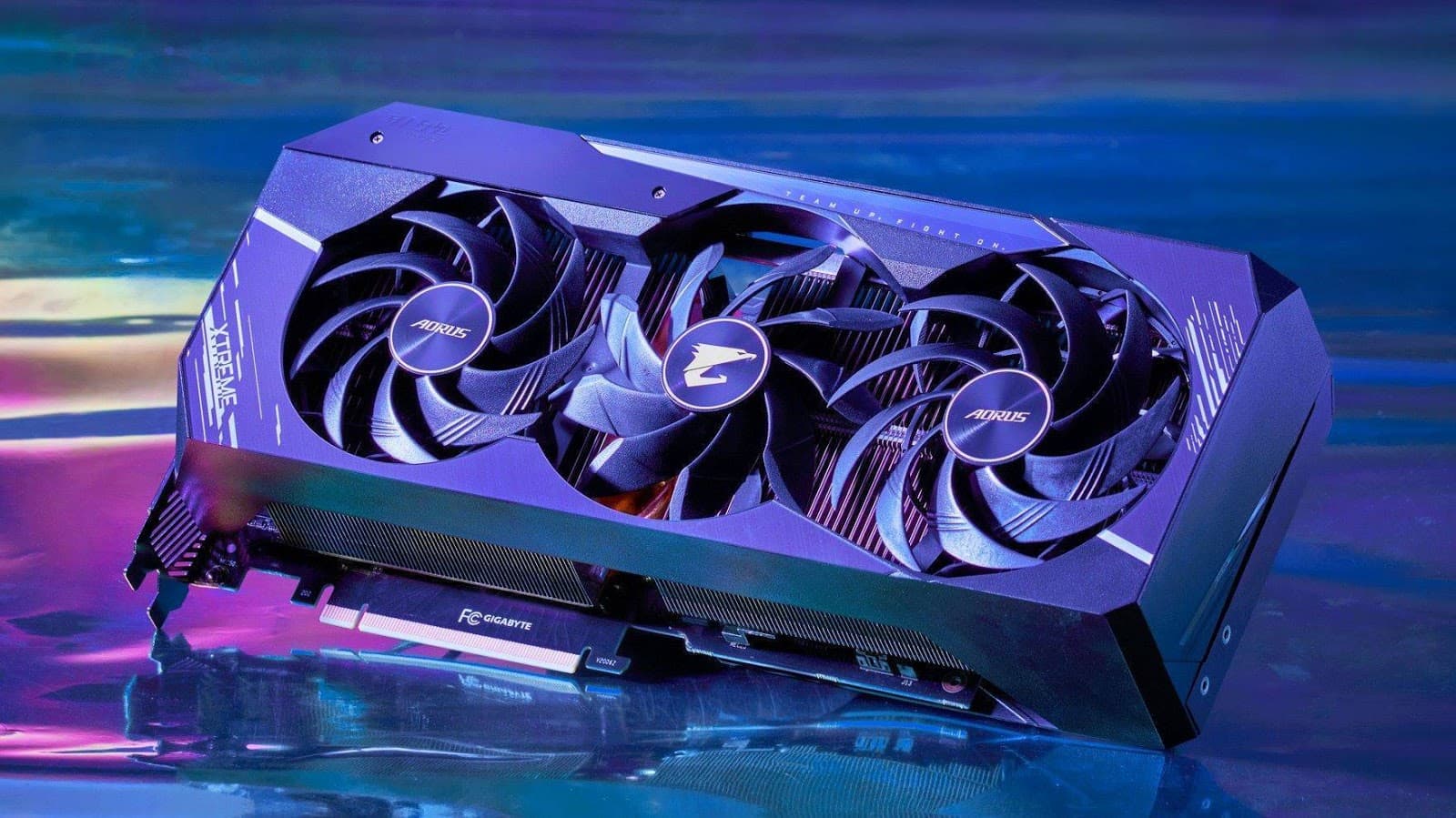
If you’ll be playing games on the PC, you’ll need a graphics processing unit (also called a graphics card). This is a specialized processor that’s designed and optimized for handling visual data like the graphics in games. It's also used in video and photo editing and other graphics-intensive tasks.
A GPU is required for your computer to read and reproduce graphical representations and effects, which are almost present in every form of media today.
They are good enough for light tasks such as word processing and some light gaming. Still, as soon as you want to dive into graphics-heavy tasks such as 3D GPU Rendering, Higher-End Gaming, Video Editing, Graphic Design, you will want a discrete GPU.
A broken-down GPU can lead to many problems, including the feared black screen of death. The current crisis of GPU chips shortages causes another headache, making losing your GPU a nightmare.
Computers have different forms of memory that store information and data, and the more prominently discussed is random-access memory (RAM). A RAM device keeps important currently-used data and codes on standby, loading them instantly when respective programs or apps are opened. Adding memory (RAM) is one of the fastest and most affordable ways to boost the performance of a computer.
RAM gives your system more available space to temporarily store data that's being used, so it helps you carry out simultaneous tasks, like having several programs open, or surfing the web without long load times.
It can read and write data extremely fast (much faster than any permanent storage solutions) but can’t retain information once the power is turned off.
The CPU is the engine of your computer and sets the performance expectations for the entire build. The CPU provides the processing power and instructions behind all your computer’s operations.
This is the brain of your computer. It sockets directly into the motherboard, and it’s the single most important component of your PC, it solves all the sophisticated algorithms and programming your computer does while running programs or applications
CPU means Central Processing Unit and it processes any task that you might throw at it. Without it, the computer won’t work.
Almost everything you do on a computer will have to be calculated by the CPU in some way, so having a fast CPU (high frequency and high core count) will make your PC faster
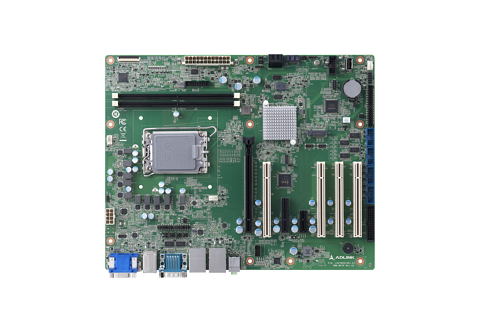
First you need to have a motherboard that is the most unwieldy component in your system, but since it acts as the foundation for everything else in your case, installing it correctly is of paramount importance.
The motherboard also determines what other pieces of hardware the computer can use.
It’s the highway they use to communicate and collaborate. They come in different sizes and configurations, and each one looks a little different, but they all fill the same function
Normally when you have to say the computer components always start with the motherboard, because it is the primary circuit board that holds all the hardware in place
When a motherboard is damaged, PCs cease to function fully. Noting the complexity of the circuitry and wiring in place, a faulty motherboard can instantly stop your computer from working and potentially harm other parts. While motherboards are easily replaced for desktops, the same can’t be said for laptops, forcing you to buy a brand new one.